
What's New
Keep up with the latest releases and improvements.
Claude Opus 5.5 and GPT-6 Sol and Luna
Claude Opus 5.5 and GPT-6 Sol and Luna are now available from your AI provider settings.
Organise your emails with folders
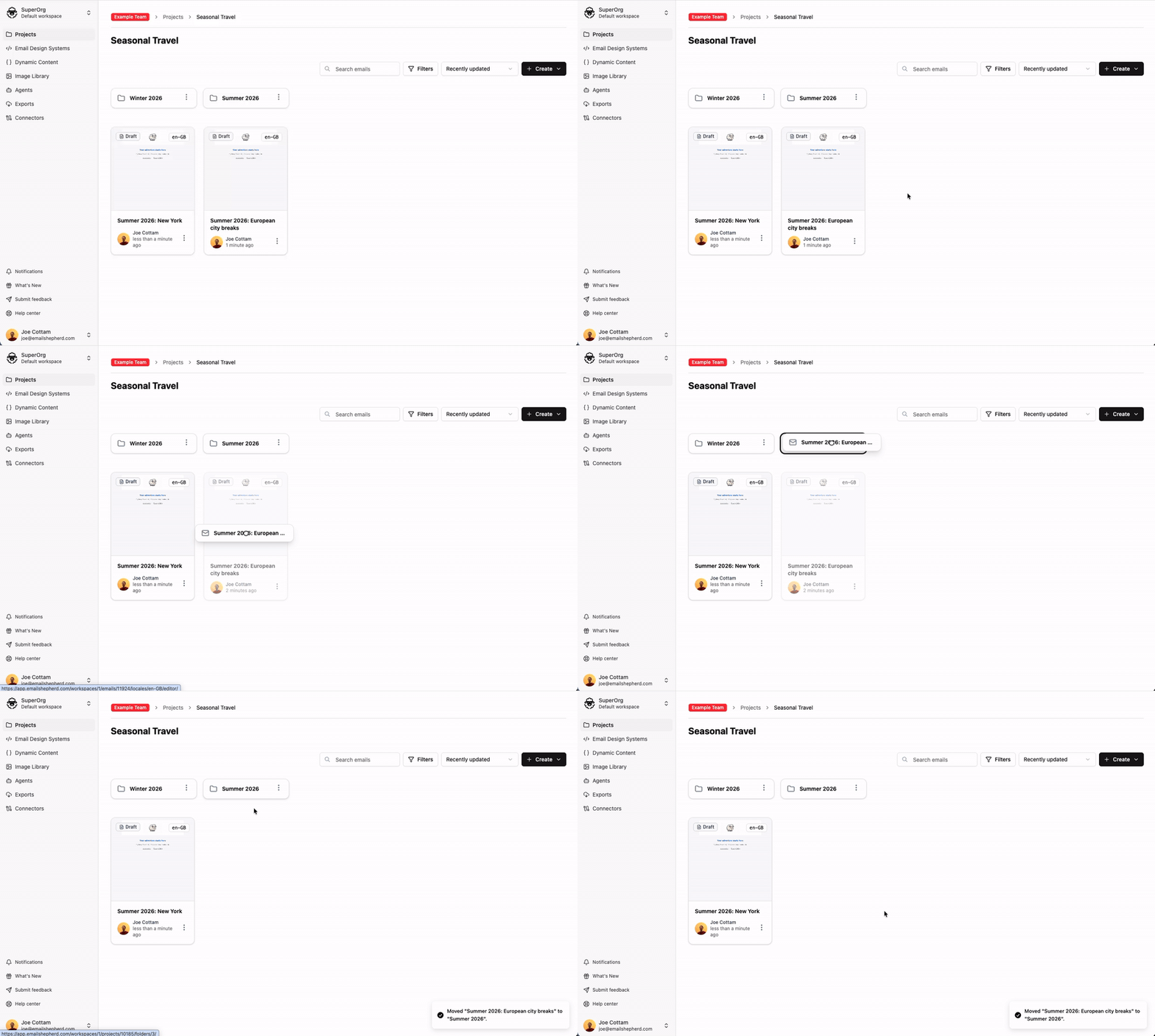
You can now organise the emails in a project into folders, and put folders inside other folders. Drag emails and folders to move them, and search within the current folder or across the whole project.
Choose source locale for manual translations
When adding new locales and translating manually, you can now select which existing locale to copy content from instead of always starting from your default. This is useful when you've already built out content in a non-default locale and want to use it as the basis for new translations.
Dark mode email preview
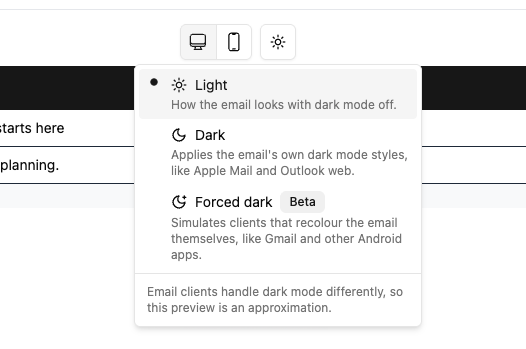
Preview how your emails render in dark mode directly from the editor. Toggle between light, dark, and forced-dark views to catch contrast and readability issues before sending.
Custom style options
Custom styles in rich text fields now support multiple options. Group related CSS choices—such as all your brand colours or font sizes—under a single style, so editors can pick the style and then choose the exact option they need. Set this up in the Component Builder under Manage custom styles by choosing Multiple options when you add or edit a style. If you're using the SDK, make sure you upgrade to the latest version.
Apply multiple custom styles to the same text
You can now apply several custom styles to the same text in the editor, instead of being limited to one. Combine colour, size, and other custom styles freely, and remove individual styles or clear them all at once.
Localized AI Reviews
An AI review now checks every locale of your email at once for a single credit, instead of one credit per locale. The agent automatically reviews all locales on the email.
Overwrite existing templates in connector exports
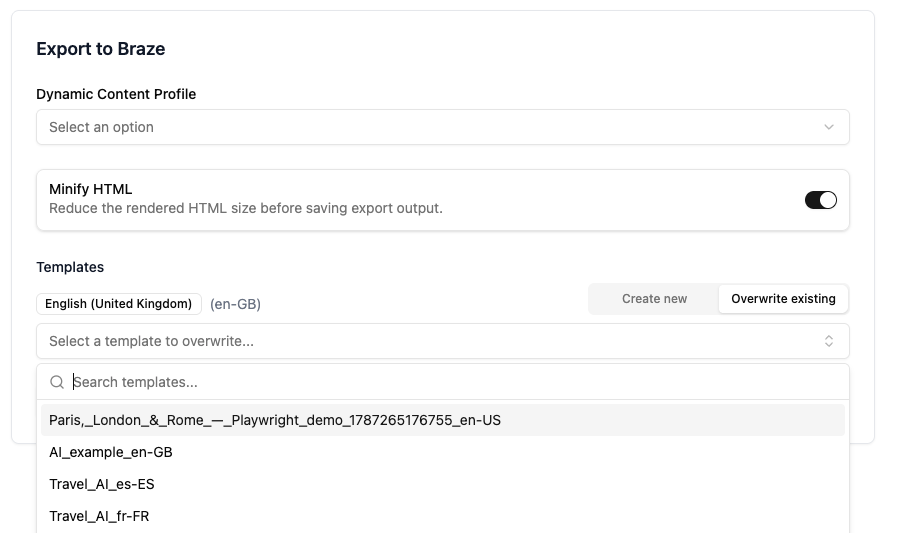
When you export emails using a connector, you can now select a template that you would like to overwrite, even if you haven't previously exported the email from EmailShepherd.
Inline conditionals
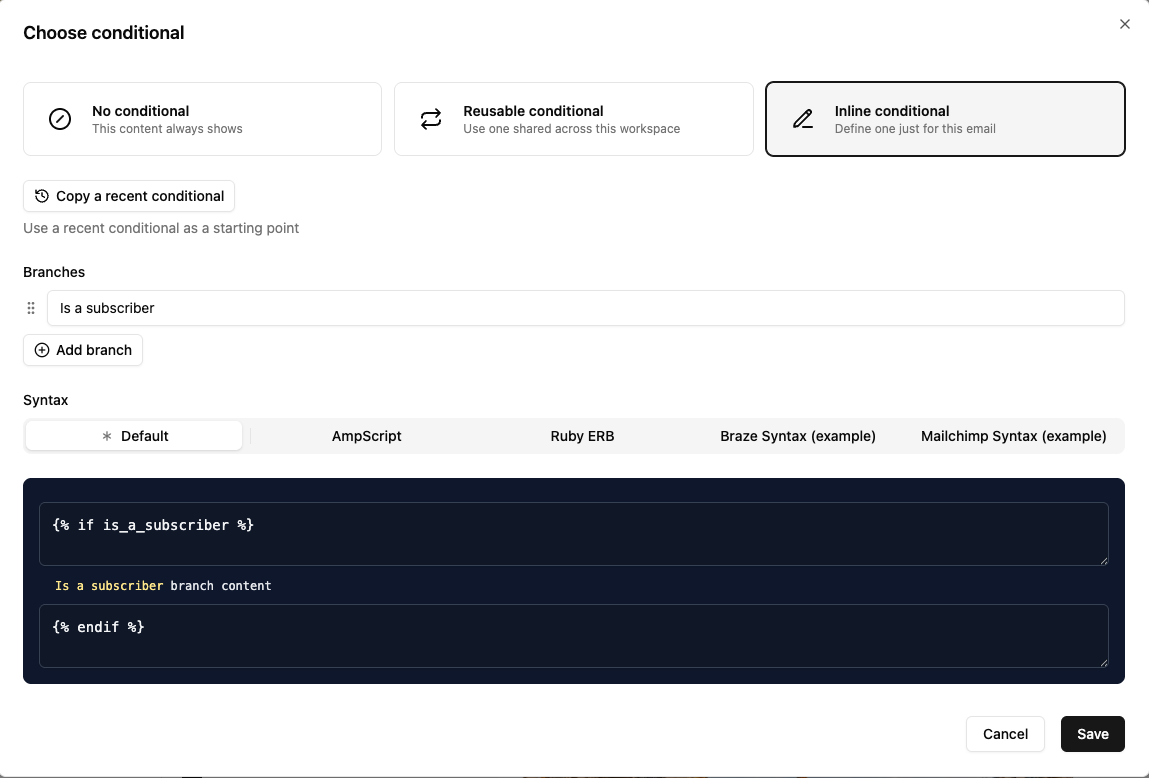
You can now create conditional content directly inside an email. This is ideal for one-off targeting you don't need to share across multiple emails.
Workspace and team management via MCP
MCP-connected apps can now create workspaces and teams and add members to each. If you already use an MCP app, edit and re-authorize it to enable these new permissions.