
What's New
Keep up with the latest releases and improvements.
Clone conditionals
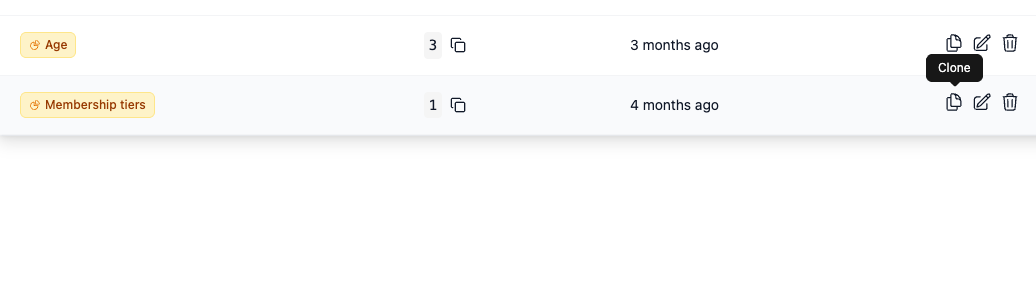
You can now clone a conditional to create a new copy with all of its branches, default syntax, and content settings intact. Save time by duplicating complex rules instead of rebuilding them from scratch.
API key authentication for MCP servers
You now have the option to connect to the EmailShepherd MCP server with a service account API key instead of going through OAuth. Useful for automated or machine-to-machine workflows that are not tied to a specific user.
More intelligent search
Email search now covers message content, not just the name. Available today from the UI, and from the MCP Server for your agents.
Claude Opus 5 is now available
Claude Opus 5, Anthropic's latest Opus model is now available from your organization's AI provider settings.
Search emails within a project
You can now search for emails by name when viewing a project. No more scrolling through long lists to find the one you need.
Apply link tracking to hardcoded links
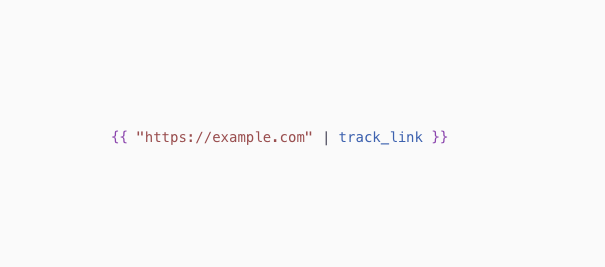
Links hardcoded in component templates can now participate in link tracking. Apply the
track_linkfilter to hardcoded URLs and they are tracked with your active profile.OpenAI GPT-5.6 models now available
GPT-5.6 Sol, Terra and Luna, OpenAI's newest generation of models, are now available from your OpenAI AI provider settings in your EmailShepherd organization settings.
Claude Sonnet 5 now available
Claude Sonnet 5, Anthropic's latest and most powerful Sonnet model is now available from your Anthropic AI provider settings in your EmailShepherd organization settings.
Skills for Review Agents
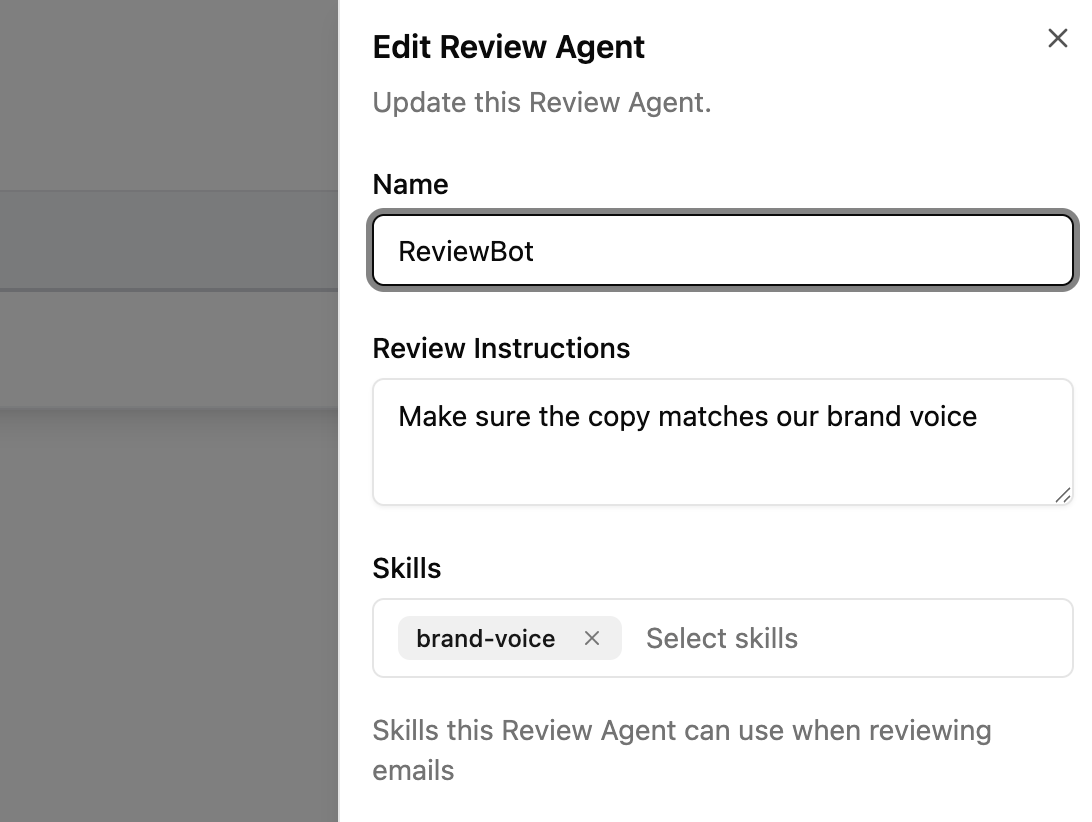
Review Agents can now use Skills when reviewing emails. Assign a skill to a Review Agent to give it reusable brand, compliance, QA, or tone-of-voice guidance, then it can pull in those instructions while reviewing.
The same Skills are able to be re-used between Build and Review Agents.
Agent Skills
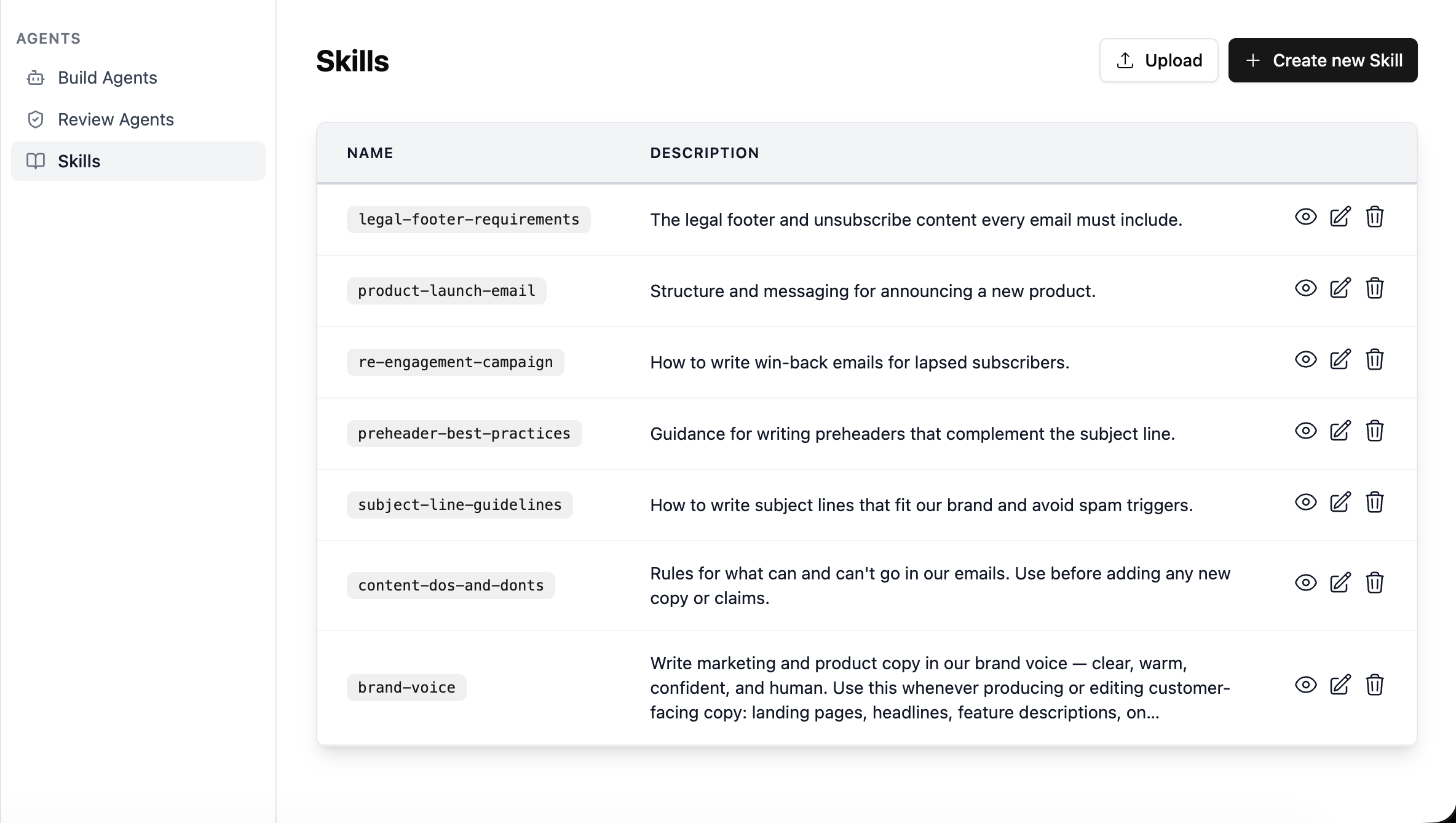
You can now give your AI agents Skills: reusable sets of instructions that teach them how your brand does email. Write one for your brand voice, your subject-line rules, the structure of a product launch, or anything else you'd otherwise have to explain on every prompt, and your agents apply it automatically when it's relevant. You can even attach an example email to a skill, so the AI has a real one to build from rather than working from a description.
Read the Agent Skills documentation.