

Skills
This article shows you how to create skills, attach example emails to them, and choose which agents use them.
A skill is a set of instructions that teaches your AI agents how your team does something, a bit like the guide you’d give a new hire. For example, a skill could describe how your brand sounds, how you write subject lines, what your legal footer must include, or how you put a product launch email together.
You write a skill once, then assign it to Build Agents and Review Agents. An agent reads the skills assigned to it whenever they’re relevant to what you’ve asked for.
Every workspace starts with a brand-voice skill. Open it and replace the template with your own brand’s voice, tone and writing rules.
Create a skill
Section titled “Create a skill”- In the sidebar, click Agents.
- Select the Skills tab.
- Click Create new Skill.
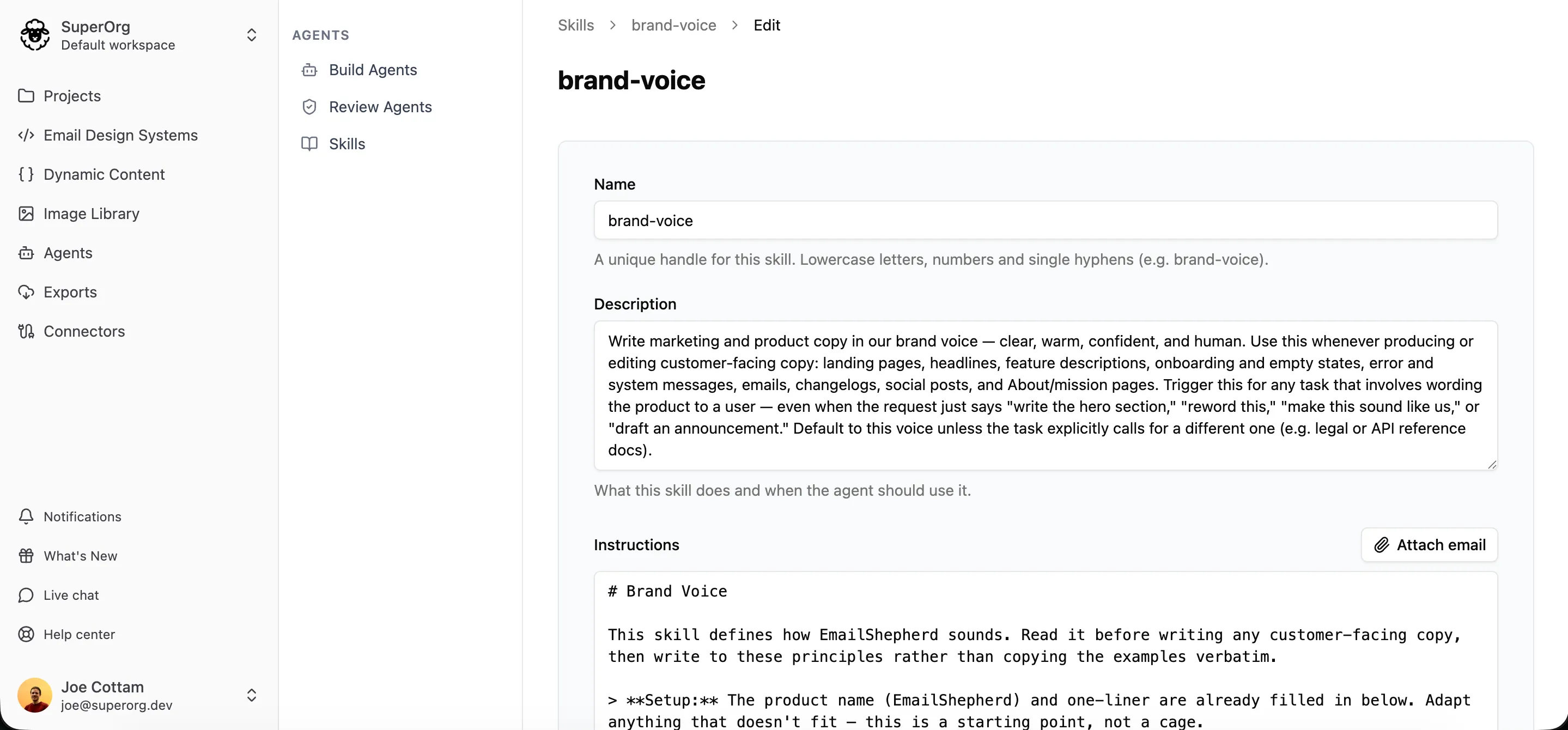
- In Name, enter a short handle for the skill, such as
brand-voiceorproduct-update. Use lowercase letters, numbers and hyphens. - In Description, say what the skill is for and when to use it. Agents read the description to decide whether to read the skill, so be clear about when it applies.
- In Instructions, write the guidance itself in plain language, the way you’d brief a colleague. You can format it with Markdown.
- Under Build agents, turn on each agent that should use the skill.
- Click Create Skill.
Upload a skill from a file
Section titled “Upload a skill from a file”If you already have guidelines written down, you can upload them as a skill instead of typing them in. Skills use an open format, so a skill written for another AI tool works here too.
- In the sidebar, click Agents.
- Select the Skills tab.
- Click Upload.
- Choose a Markdown (
.md) file of up to 60 KB.
The skill’s name and description come from the name and description at the top of the file:
---name: brand-voicedescription: Our brand's voice and tone. Read this before writing any copy.---
Write in a warm, plain way. Use "you" and "we"...
Everything after them becomes the skill’s instructions.
Attach example emails
Section titled “Attach example emails”You can attach real emails to a skill as examples. Instead of describing the structure, length and tone you want, the agent can see an email you’re happy with and follow it.
- Open the skill and click Edit.
- Beside Instructions, click Attach email.
- Search for the email and select it.
- Click Save.
You can attach up to 5 emails from the same workspace. A link to each email is added to the instructions, so you can refer to it, for example:
Build an email like the attached product update, but refresh the content for this month. Get the latest releases from https://example.com/releases.
Assign a skill to agents
Section titled “Assign a skill to agents”A skill only takes effect once it’s assigned to an agent. You can assign the same skill to several agents, so you only need to write your brand voice once.
- In the sidebar, click Agents.
- Select the Skills tab.
- Open the skill.
- Under Enable for build agents, turn on each Build Agent that should use the skill. Under Enable for review agents, turn on each Review Agent that should use it.
You can also choose skills when you edit a Build Agent. Each agent can have up to 10 skills.
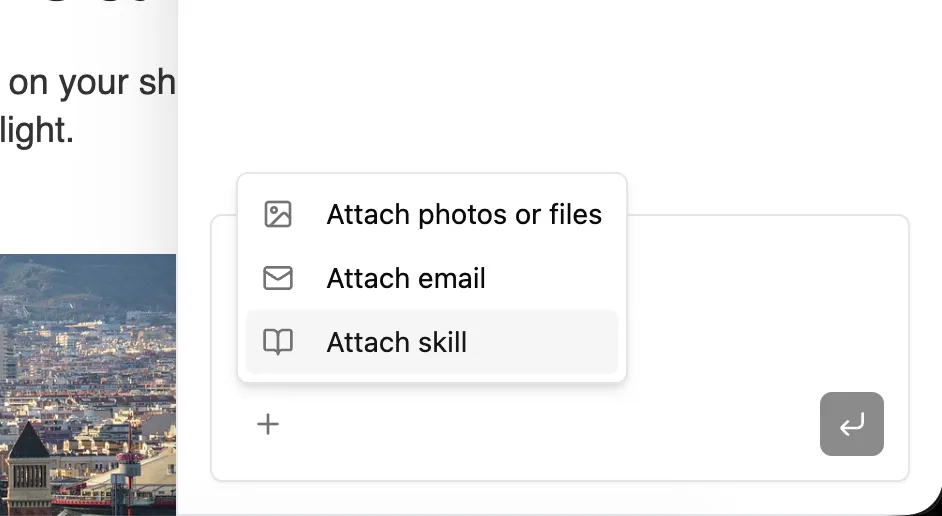
To make sure an agent reads a particular skill for one message, attach it in AI chat. See Give the AI more to work with.
Edit or delete a skill
Section titled “Edit or delete a skill”- In the sidebar, click Agents.
- Select the Skills tab.
- Click the edit or delete icon beside the skill.
- Make your changes and click Save, or confirm that you want to delete the skill.
Agents use the updated instructions from their next message.