
Component Presets
What are Component Presets?
Section titled “What are Component Presets?”Component Presets let you save a configured component and reuse it in future emails. Where a Layout is a starting point for a whole email, a Preset is a starting point for a single block. Think of a footer with your social links filled in, a hero with your standard promo copy, or a product card already translated into every locale you ship to.
When to use Presets
Section titled “When to use Presets”- Reusable building blocks. Save commonly used pieces (footers, headers, disclaimers, support CTAs) once instead of recreating them every email.
- Translated snippets. A Preset remembers content in every locale you’ve filled in, so you can drop a fully translated block into a new email rather than retranslating it.
- Audience variants. Any conditional content you’ve authored on the component travels with the Preset.
Saving a Preset
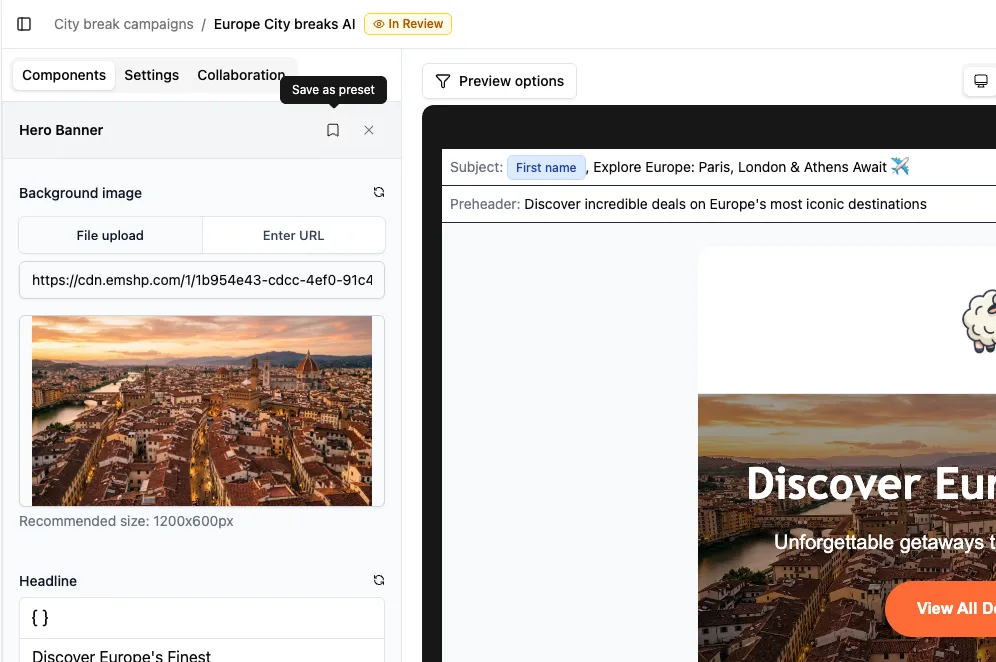
Section titled “Saving a Preset”In the editor, expand a component in the sidebar and click the bookmark icon in its header. Give the Preset a name and save.
Using a Preset
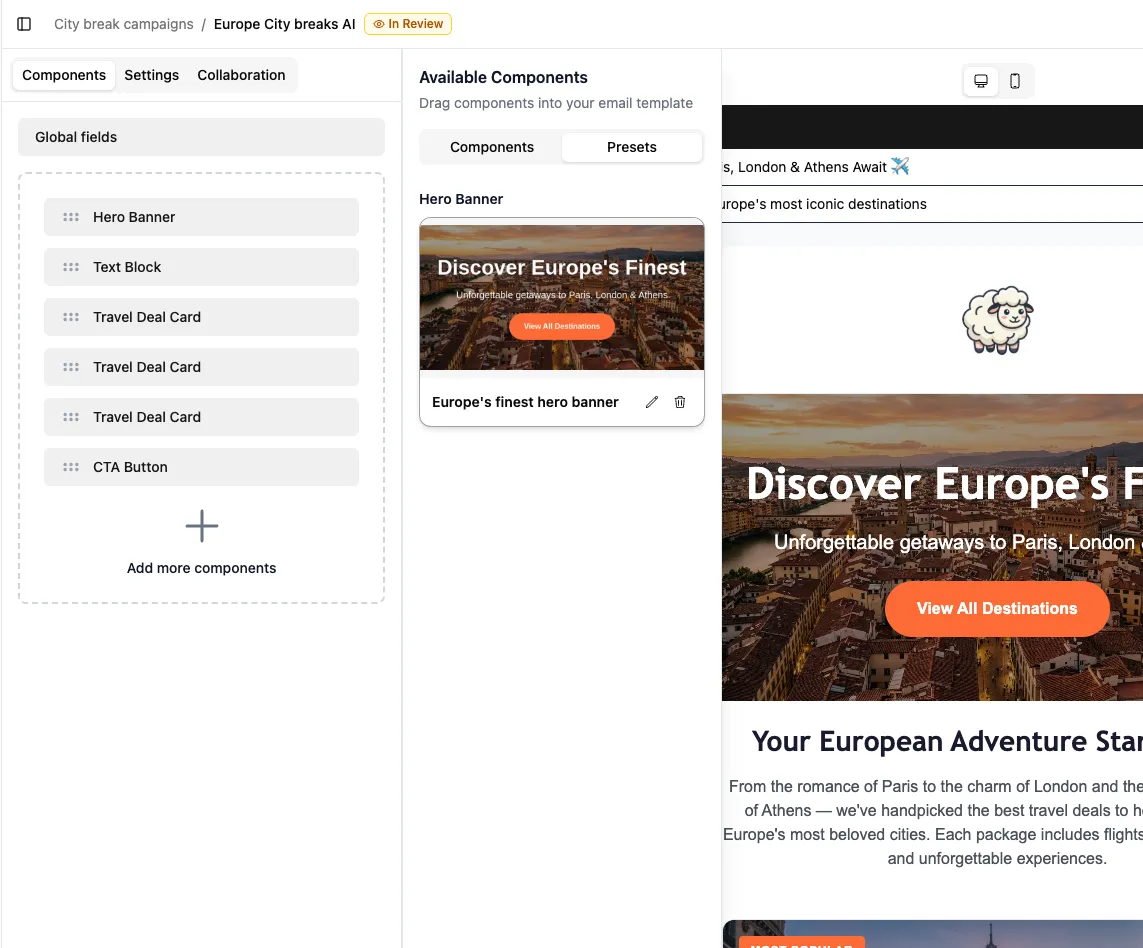
Section titled “Using a Preset”Open the Add Component panel. If any Presets are available, you’ll see a Presets tab next to Components. Drag a Preset into your email the same way you’d drag a component.
Once dropped in, the content is yours to edit. Changes here don’t affect the saved Preset.
Managing Presets
Section titled “Managing Presets”Rename or delete a Preset directly from its card in the Presets tab.