

Build Agents
This article shows you how to create, edit and delete Build Agents, and how to choose what all agents in your organization can do.
Build Agents are the AI agents that build and edit emails for you, in AI chat or as background agents. They only use the components in your Email Design System and follow its rules, so the emails they build stay on brand.
Each agent has its own instructions and skills. You might use one agent for everything, or create separate agents for different jobs, such as one for newsletters and one for transactional emails.
Create a Build Agent
Section titled “Create a Build Agent”- In the sidebar, click Agents.
- Select the Build Agents tab.
- Click Create new Build Agent.
- In Name, enter a name that helps your team choose the right agent, such as
Newsletters. - In Instructions, enter any short instructions the agent should always follow, such as “Always use British English.” This is optional. Keep it brief, and put longer guidance, such as your brand guidelines, in a skill instead.
- In Skills, select the skills the agent can use. An agent can have up to 10 skills.
- Click Create.
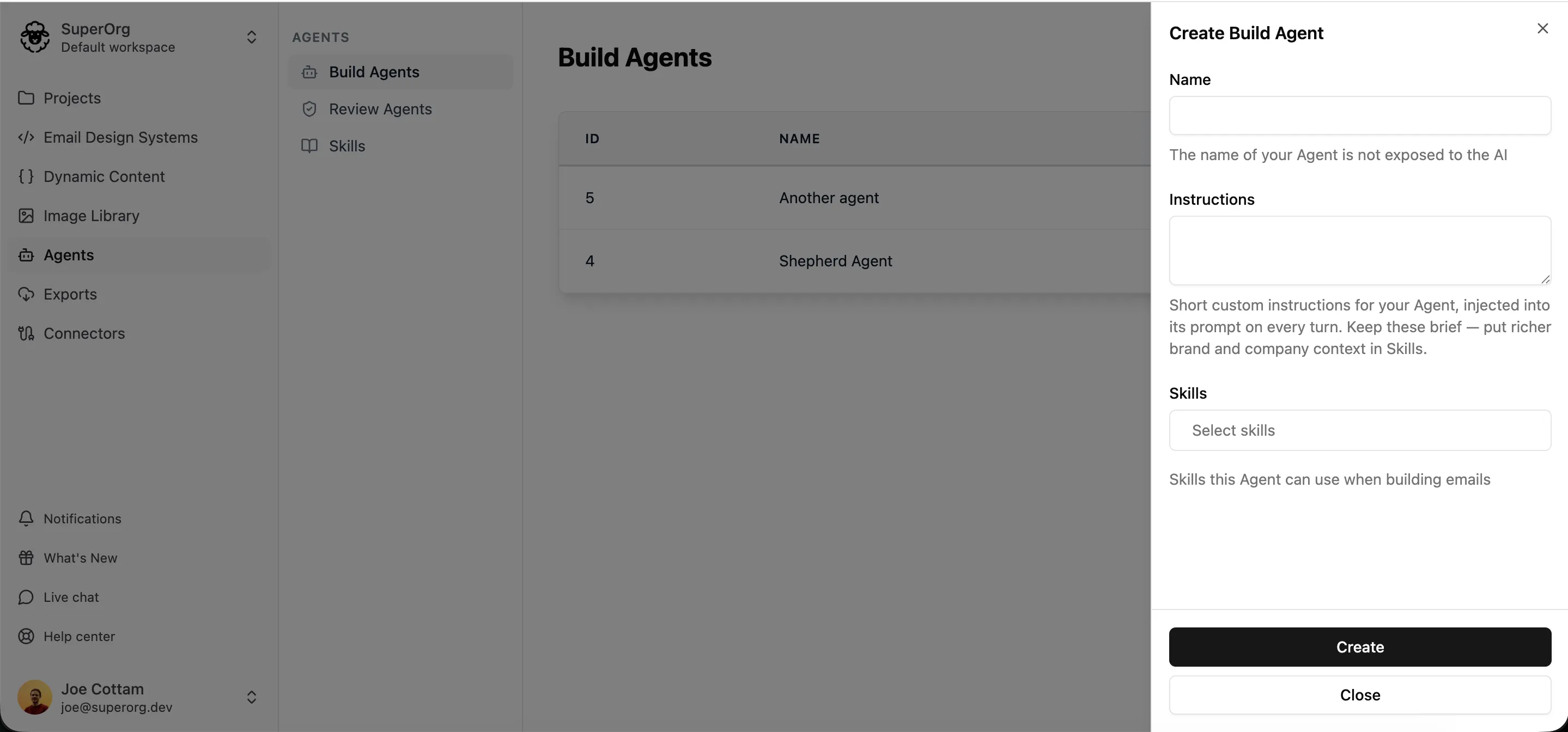
The agent is ready to use straight away. Your team can choose it at the top of the AI chat panel, or when they create an email with a background agent.
Edit a Build Agent
Section titled “Edit a Build Agent”- In the sidebar, click Agents.
- Select the Build Agents tab.
- Click the edit icon beside the agent.
- Change the Name, Instructions or Skills.
- Click Save.
You can also choose which agents use a skill from the skill itself. See Assign a skill to agents.
Delete a Build Agent
Section titled “Delete a Build Agent”- In the sidebar, click Agents.
- Select the Build Agents tab.
- Click the delete icon beside the agent.
- Confirm that you want to delete it.
Each workspace must have at least one Build Agent, so you can’t delete the last one.
Choose what agents can do
Section titled “Choose what agents can do”These settings apply to every Build Agent in your organization. They’re all turned on to start with.
- In the top-left of the sidebar, click your organization’s name, then select Organization settings.
- Select the App configuration tab.
- Under AI Agents, turn each setting on or off:
- AI Agents can access your image library: agents can search your image library for images to use.
- AI Agents can browse the web: agents can read a web page when you give them its address.
- AI Agents can use image generation: agents can generate new images and add them to your image library.
- Click Save Changes.
To give agents access to other tools, such as Notion, set up an MCP Connector.