

How to create a conditional
This article shows you how to create a reusable conditional, so the people building emails can show different content to different recipients without writing ESP code.
A conditional lets one email show different content to different groups of recipients. For example, a loyalty program email might show one offer to gold members, another to silver members, and a third to everyone else. Each version of the content is called a branch.
You can create a conditional in two places:
| Type | Where you create it | When to use it |
|---|---|---|
| Reusable conditional | Dynamic Content > Conditionals | The same logic is used across several emails. Update it once and every email picks up the change. |
| Inline conditional | In the email editor | The logic is only needed in one email. See How to use a conditional in an email. |
Before you begin
Section titled “Before you begin”If you export to more than one ESP, set up a dynamic content profile for each one first. You can then give the conditional different syntax for each ESP.
How branches and syntax work
Section titled “How branches and syntax work”A conditional is made of branches, plus the syntax your ESP uses to decide which branch each recipient sees. When you export an email, EmailShepherd wraps each branch’s content in the syntax you enter.
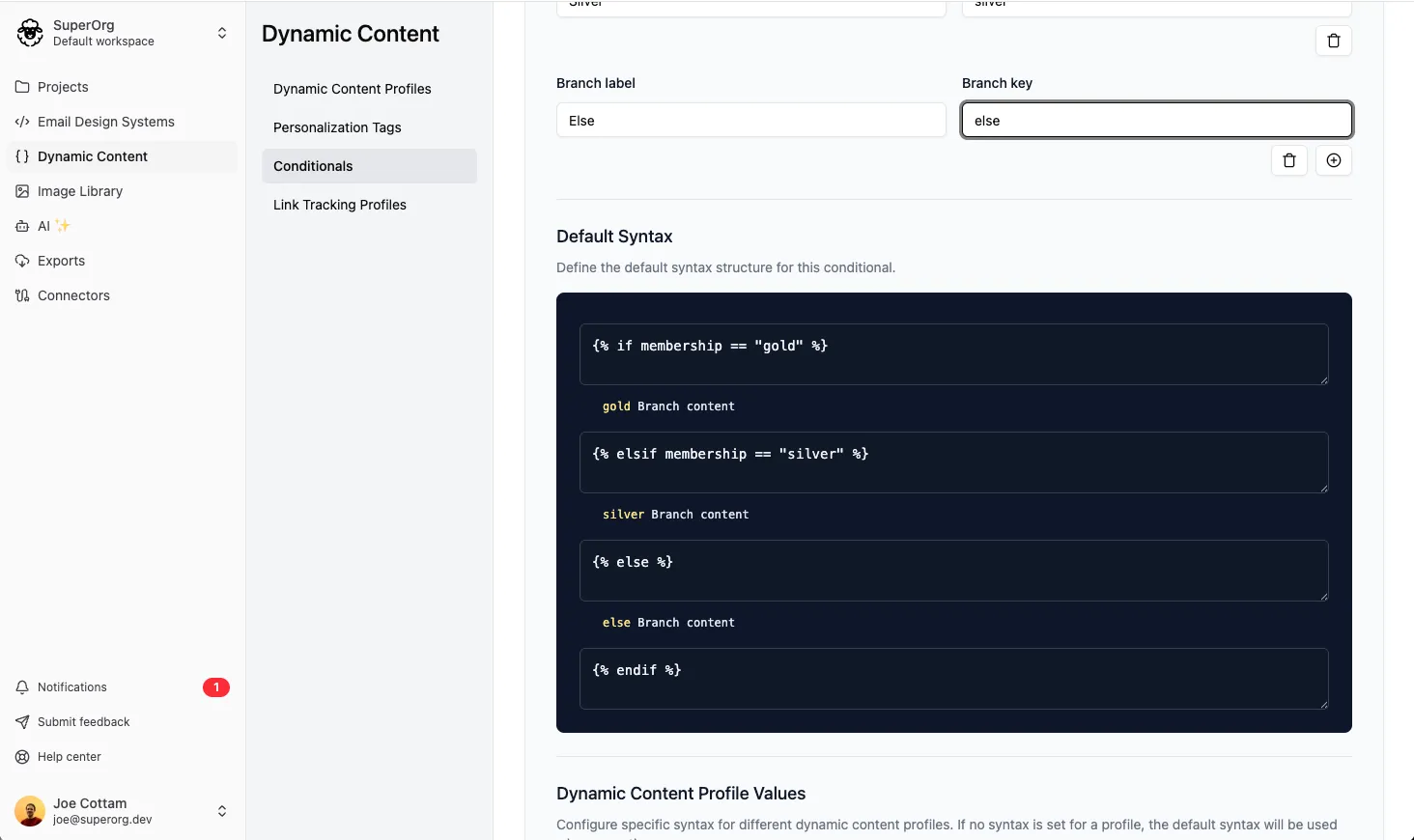
For example, here’s a conditional with three branches, written in Liquid:
{% if membership == "gold" %} Gold members content{% elsif membership == "silver" %} Silver members content{% else %} Everyone else content{% endif %}To set this up, you enter:
- The syntax that starts each branch:
{% if membership == "gold" %}for the first branch,{% elsif membership == "silver" %}for the second, and{% else %}for the last. - The closing syntax that ends the conditional:
{% endif %}.
You don’t enter the content itself. That’s added to each branch when someone uses the conditional in an email.
Create a reusable conditional
Section titled “Create a reusable conditional”-
In the sidebar, click Dynamic Content, then select the Conditionals tab.
-
Click Add Conditional.
-
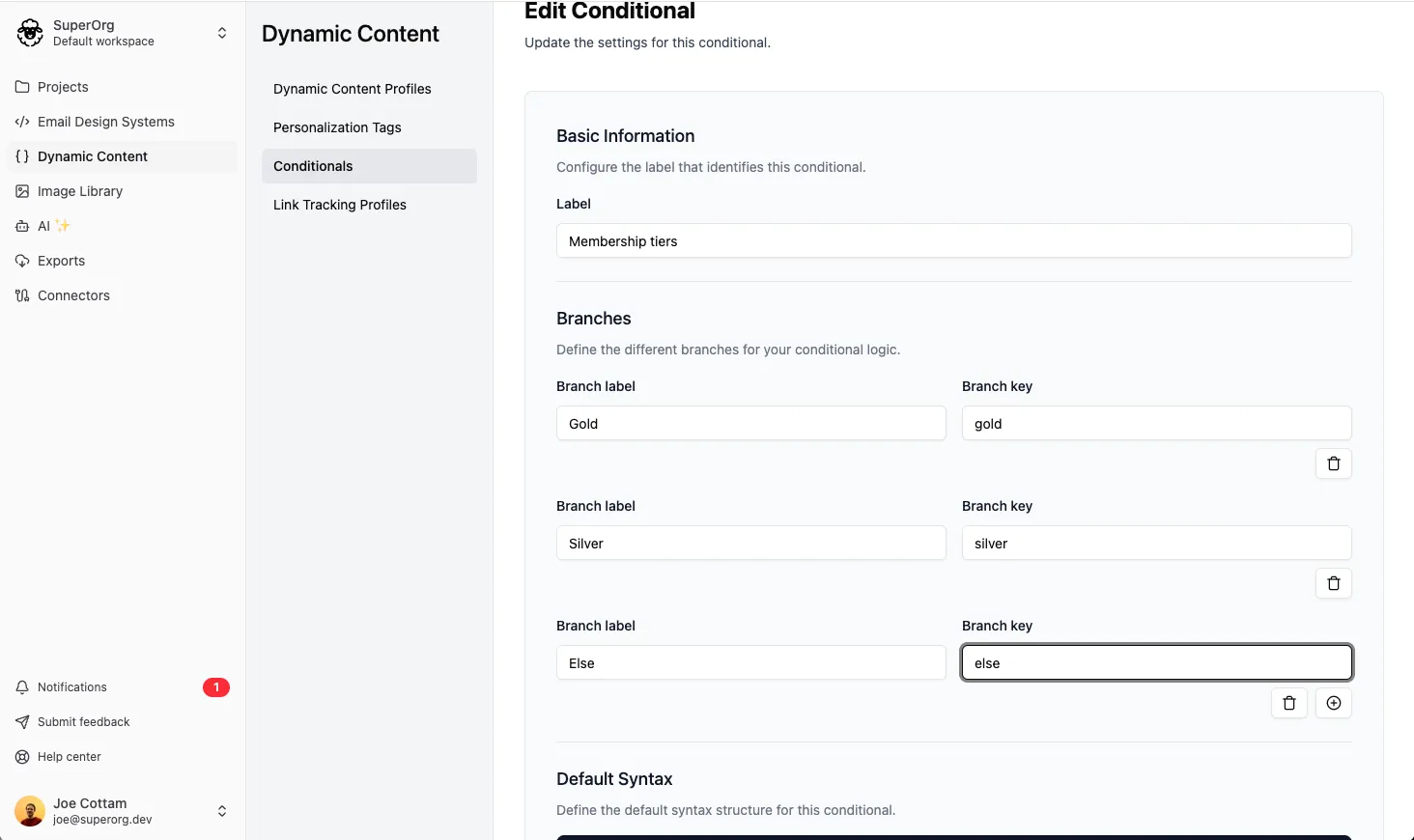
In Label, enter the name people will see in the editor, e.g. “Membership tiers”.
-
If the conditional will be used in an email’s subject or preheader, select Can be used in subject and preheader.
-
Under Branches, add a branch for each version of the content. For each branch, enter:
- Branch label: the name people see in the editor, e.g. “Gold members”.
- Branch key: a unique ID for the branch, e.g.
gold_membership.
Click the add icon to add another branch.
-
Under Default Syntax, enter the syntax that starts each branch, then the closing syntax.
-
Click Create Conditional.
Add syntax for each dynamic content profile
Section titled “Add syntax for each dynamic content profile”If an ESP needs different syntax from the default, add it for that ESP’s dynamic content profile.
- In the sidebar, click Dynamic Content, then select the Conditionals tab.
- Beside the conditional, click the edit icon.
- Under Dynamic Content Profile Syntax, click the edit icon beside the profile.
- Enter the syntax that starts each branch, then the closing syntax.
- Click Update Profile Syntax.
Profiles you don’t add syntax for show as Not configured, and use the default syntax when you export.
Edit, clone or delete a conditional
Section titled “Edit, clone or delete a conditional”- In the sidebar, click Dynamic Content, then select the Conditionals tab.
- Beside the conditional, click one of the icons:
- Edit: change the conditional, then click Update Conditional.
- Clone: enter a label for the copy, then click Clone.
- Delete: confirm that you want to delete the conditional.