Downloading an email as a PDF or PNG
Download an email as a PDF or PNG from the editor.
Download a PDF or PNG
Section titled “Download a PDF or PNG”-
Open the email you want to download. If it has multiple locales, select the locale you want to use.
-
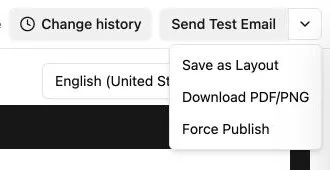
Open the actions menu in the top-right corner of the editor, then select Download PDF/PNG.
-
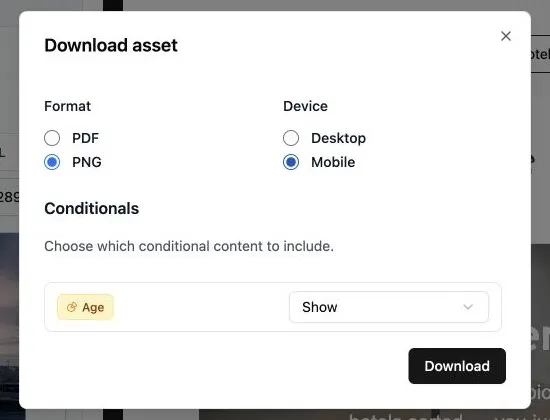
Choose PDF or PNG.
-
Choose Desktop or Mobile.
-
If the email uses conditional content, choose what to include. Depending on the conditional, you can show or hide its content, or select a specific branch.
-
Select Download.