

Airship
This article shows you how to connect EmailShepherd to Airship, so you can export emails to Airship as templates.
You set up the connector once for each workspace. After that, anyone who can export emails can send them to Airship without copying any code.
Get your Airship credentials
Section titled “Get your Airship credentials”-
Sign in to Airship and open your project.
-
Go to Settings.
-
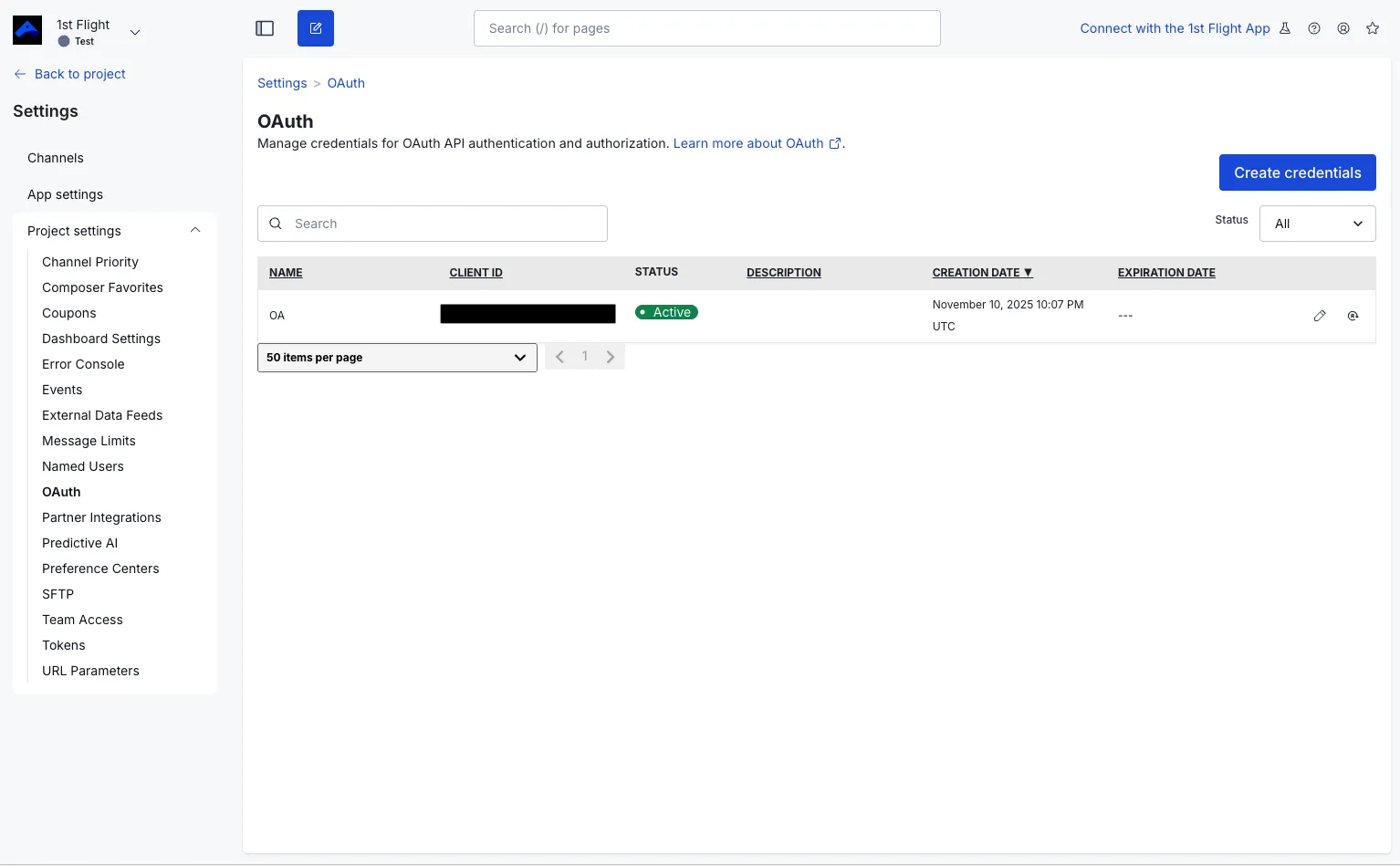
Under Project settings, click OAuth.
-
Click Create Credentials.
-
Enter a name, such as
EmailShepherd, and a description if you want one. -
Tick Allow Basic Auth. The connector won’t work without it.
-
Click Next.
-
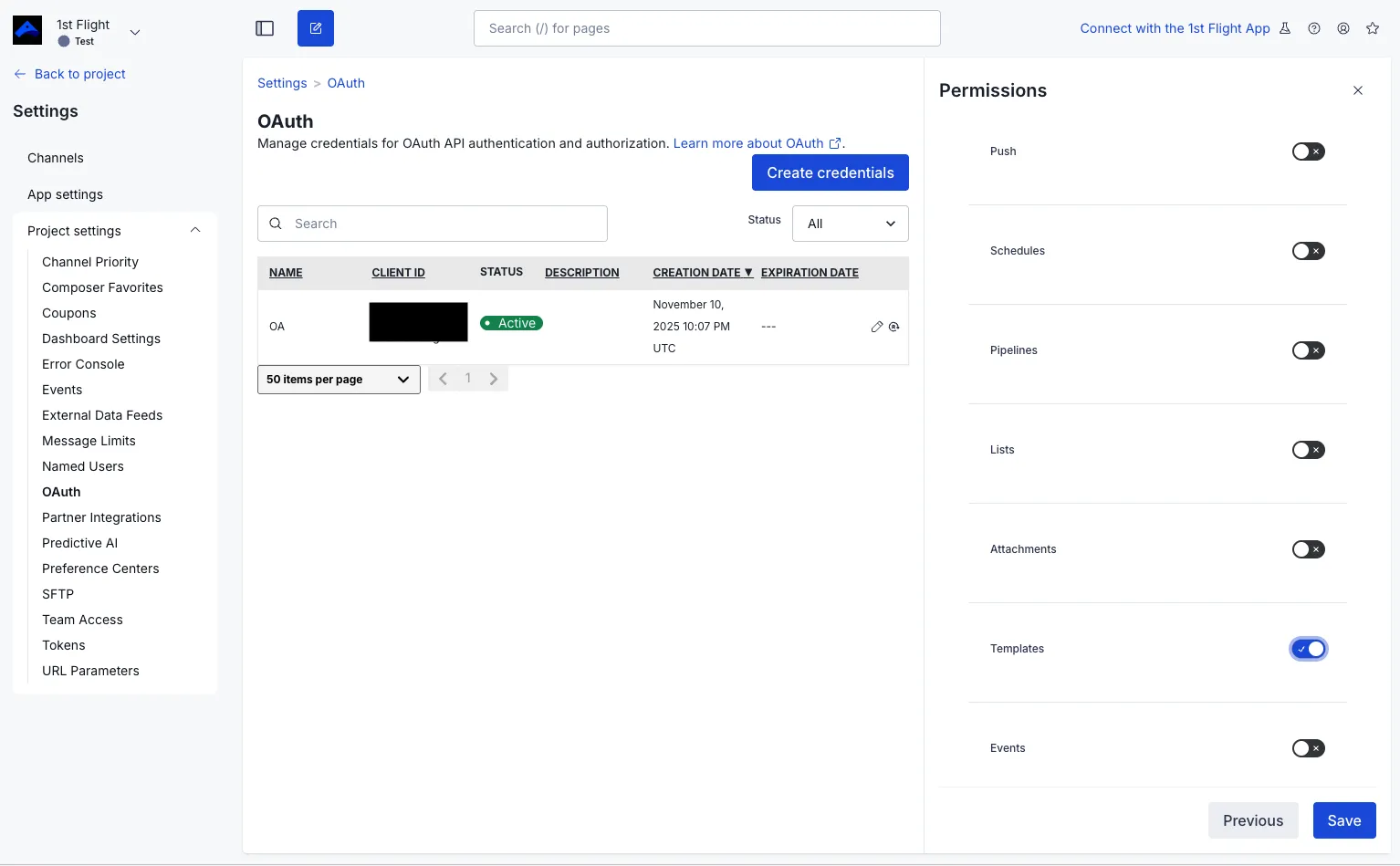
Select the Templates permission only. EmailShepherd doesn’t need any others.
-
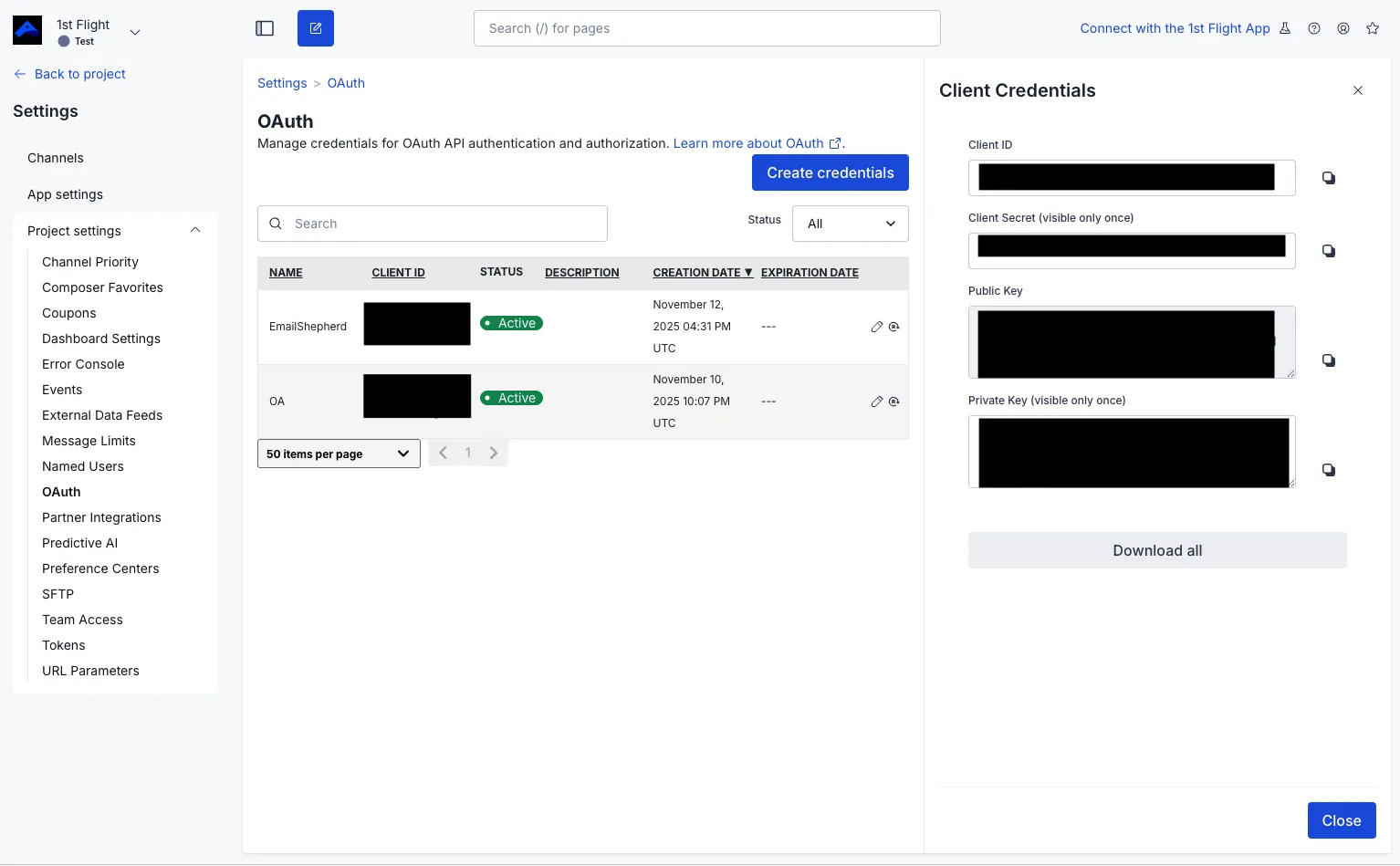
Copy the Client ID and Client Secret, and keep them somewhere safe until you’ve set up the connector.
-
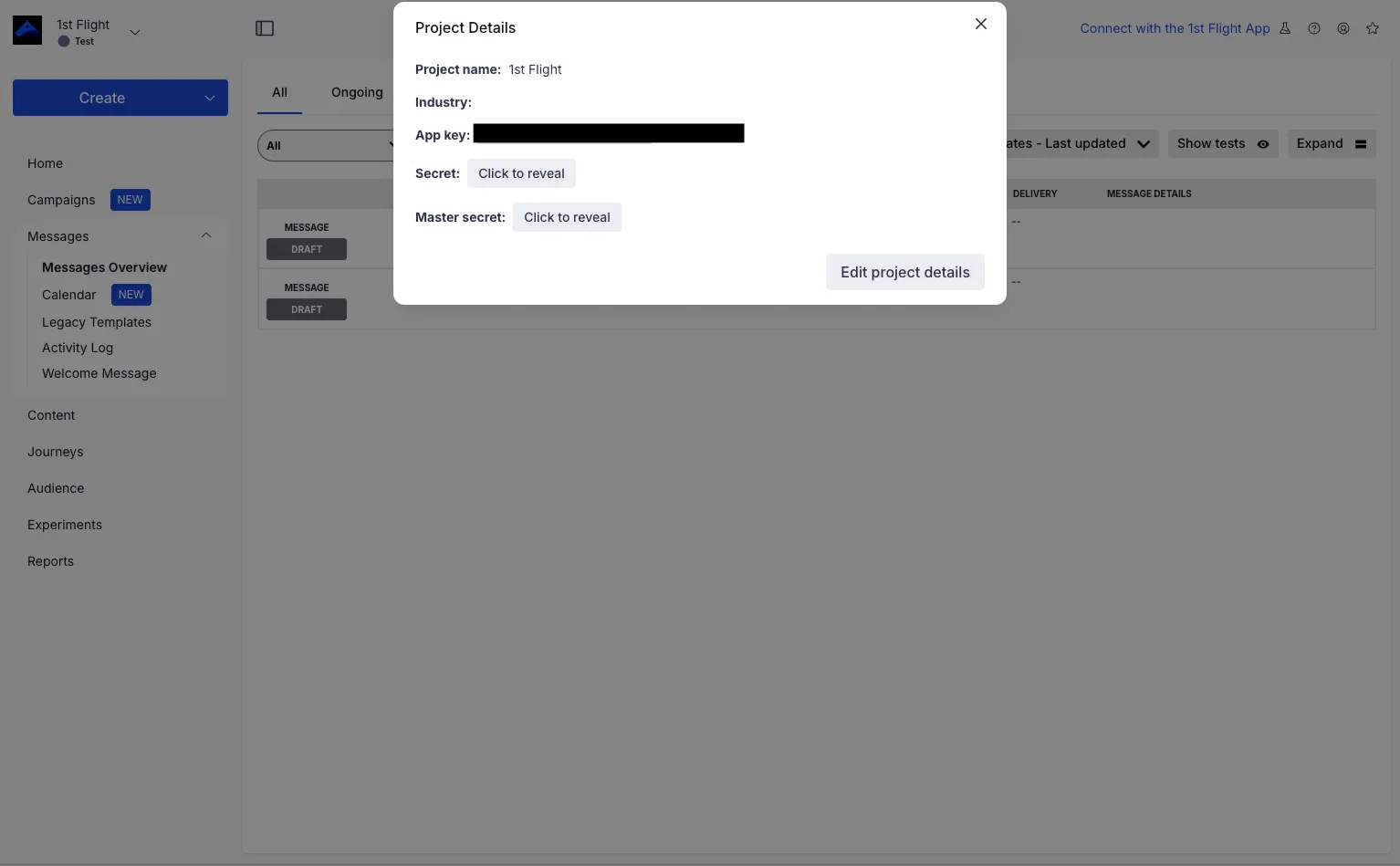
Go back to Project settings and copy your project’s App Key.
Set up the connector in EmailShepherd
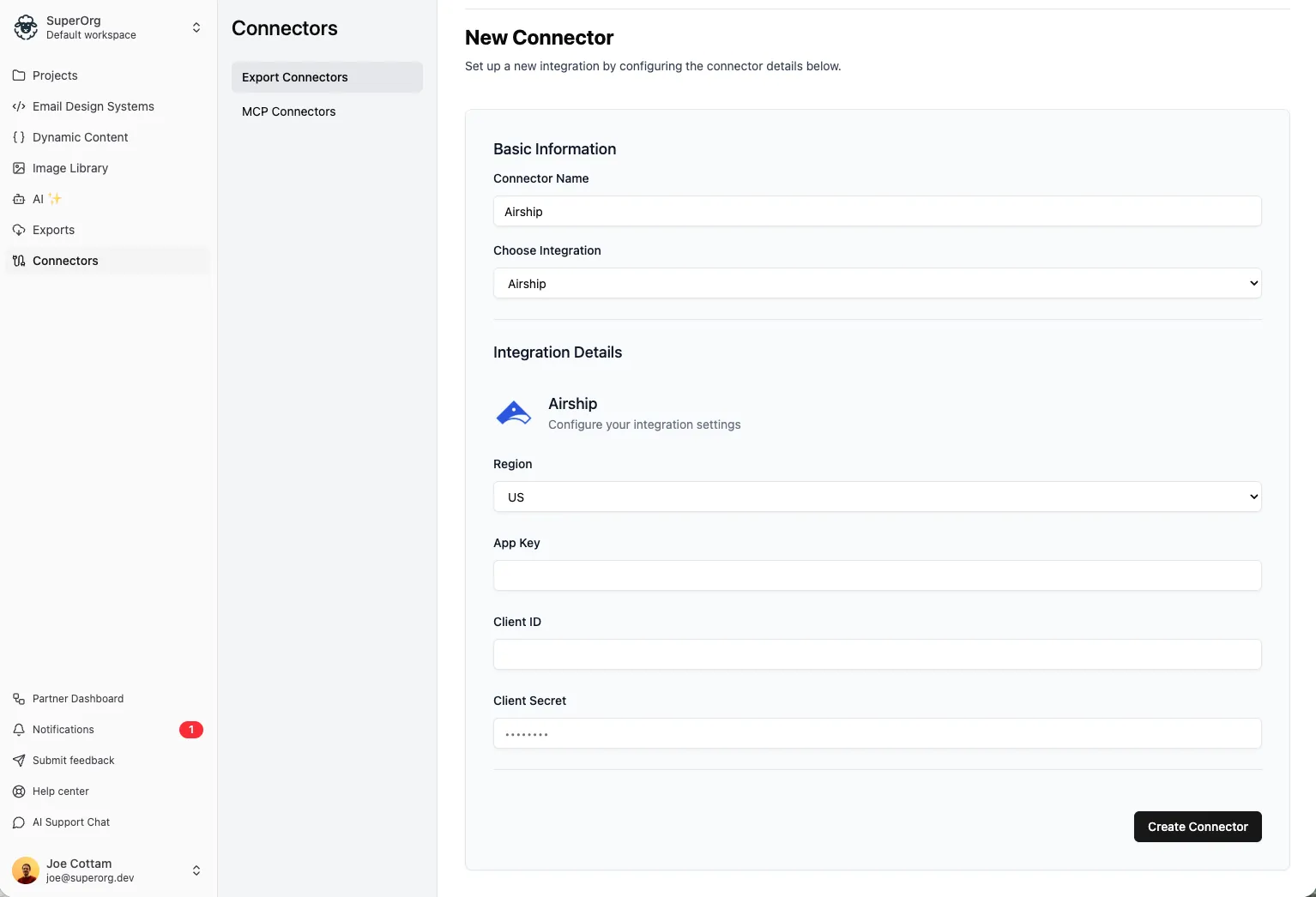
Section titled “Set up the connector in EmailShepherd”- In the sidebar, click Connectors.
- On the Export Connectors tab, click Add connector.
- In Connector Name, enter a name, such as
Airship. - In Choose Integration, select Airship.
- In Region, select US or EU, depending on where your Airship account is hosted.
- Enter the App Key, Client ID and Client Secret you copied from Airship.
- In Dynamic Content Profile, choose a dynamic content profile to use every time you export to Airship. To choose one each time you export instead, leave it as None.
- Click Create Connector.
Set up personalization for Airship
Section titled “Set up personalization for Airship”Airship uses Handlebars for personalization and dynamic content, such as {{first_name}}.
To export your personalization tags and conditionals in Airship’s syntax, set them up in a dynamic content profile for Airship, then choose it in the connector or when you export.
Export an email to Airship
Section titled “Export an email to Airship”See How to export an email to your ESP.
Each locale is exported as a separate template in Airship. You can create a new template, or overwrite an existing template in Airship.