

How to inline CSS in exports
This article shows you how to inline CSS when you export an email.
CSS inlining applies rules from <style> blocks to individual elements as style attributes. The style blocks are kept in the exported HTML.
Allow CSS inlining
Section titled “Allow CSS inlining”- In the top-left of the sidebar, click your organization’s name, then select Organization settings.
- Select the App configuration tab.
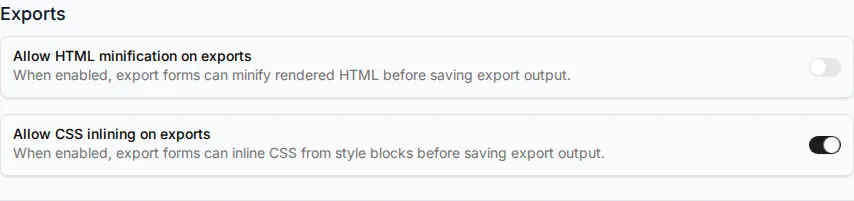
- Under Exports, turn on Allow CSS inlining on exports.
- Click Save Changes.
Inline CSS in an export
Section titled “Inline CSS in an export”When you export as HTML, export as JSON or export to your ESP, turn on Inline CSS. It’s turned on by default when CSS inlining is allowed.