

Design tokens
This article shows you how to define design tokens for an Email Design System (EDS) and use them in your components.
Design tokens are values, such as colors, spacing and font sizes, that you define once and use in any component. Use them to:
- Keep components consistent: every component uses the same values.
- Make changes in one place: change a token, and every component that uses it updates.
- Support several brands: brand profiles can override tokens, so one EDS can produce emails for different brands.
Define design tokens
Section titled “Define design tokens”-
Open the EDS in Component Builder.
-
In the left panel, click Design tokens.
-
Enter your tokens as a JSON object. You can group them however you like. For example:
{"colors": {"primary": "#1F6F5C","secondary": "#B5543B","background": "#F7F4EF","text": "#2B2B2B"},"spacing": {"small": "8px","medium": "16px","large": "32px"},"typography": {"font_family": "Helvetica, Arial, sans-serif","heading_size": "28px","body_size": "16px"}}
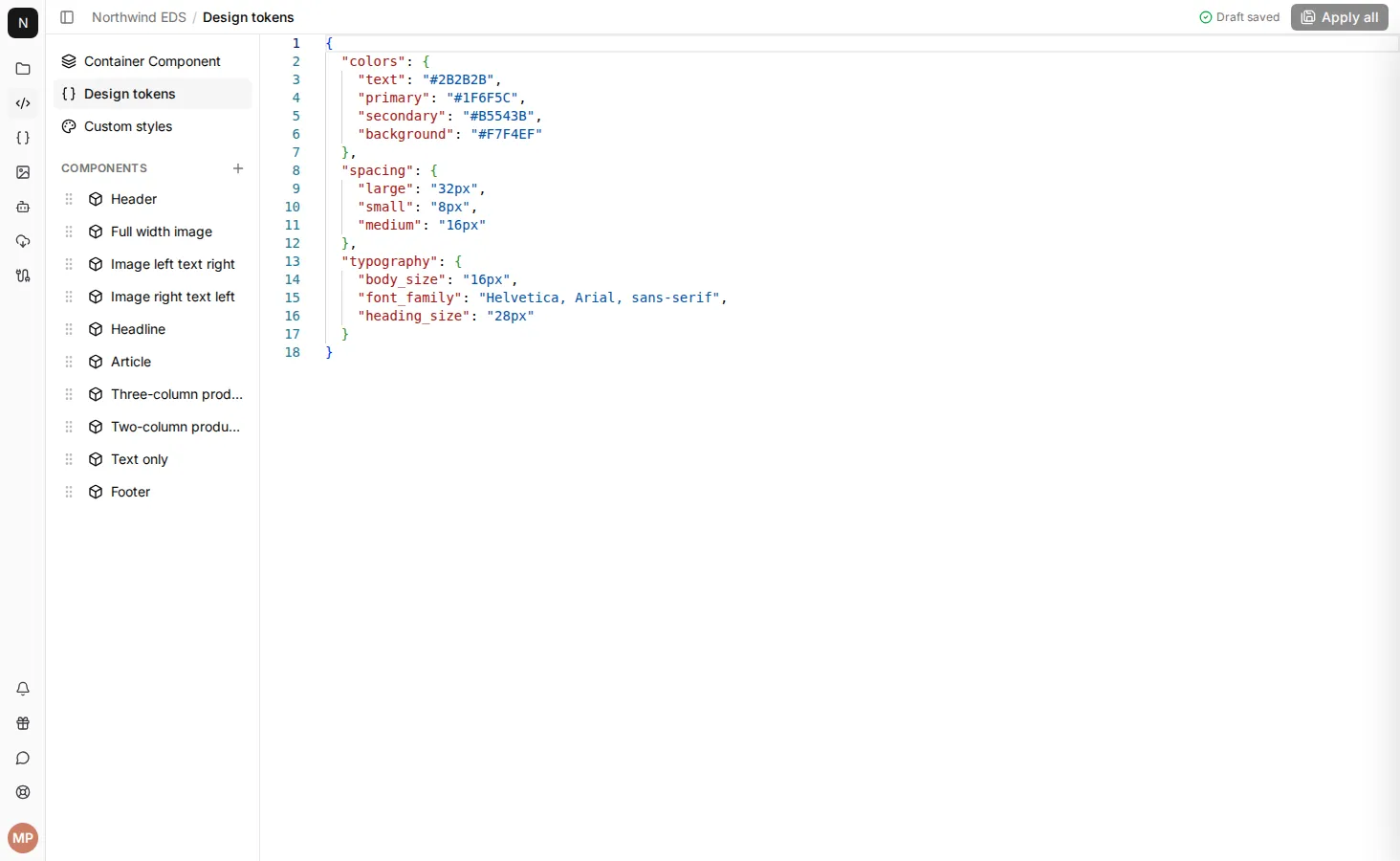
If the JSON isn’t valid, a message above the editor explains the problem, and you can’t apply your changes until you fix it.
Use design tokens in a component
Section titled “Use design tokens in a component”In a component’s template, design tokens are under render_context.design_tokens. Follow it with the path to the token, using a dot between each level. For example, render_context.design_tokens.colors.primary is the primary token inside colors:
<table style="background-color: {{render_context.design_tokens.colors.background}}"> <tr> <td style="padding: {{render_context.design_tokens.spacing.medium}}"> <p style="font-family: {{render_context.design_tokens.typography.font_family}}; color: {{render_context.design_tokens.colors.text}}"> Hello, world! </p> <a href="https://example.com" style="background-color: {{render_context.design_tokens.colors.primary}}; padding: {{render_context.design_tokens.spacing.small}} {{render_context.design_tokens.spacing.medium}};"> Shop now </a> </td> </tr></table>Override design tokens for a brand
Section titled “Override design tokens for a brand”A brand profile can have its own design tokens. To set them, open the brand profile and click Design Tokens.
You only need to include the tokens you want to change. They’re merged with the EDS’s tokens, and the brand profile’s values win. For example, if the EDS has:
{ "colors": { "primary": "#1F6F5C", "secondary": "#B5543B" }}and the brand profile has:
{ "colors": { "primary": "#003366" }}then emails that use the brand profile get:
{ "colors": { "primary": "#003366", "secondary": "#B5543B" }}