

How to check your AI credit usage
This article shows you where to see your organization’s remaining AI credits, and how many credits each AI feature has used.
EmailShepherd’s AI features use AI credits from your organization’s allowance. Each AI Chat message, AI review, AI translation of one locale, background agent run and generated image uses one credit.
If your organization has connected its own AI provider, most AI features don’t use credits. Your provider bills you for that usage instead, and it doesn’t appear here. Check your provider’s console to see it.
See your remaining credits
Section titled “See your remaining credits”-
In the top-left of the sidebar, click your organization’s name, then select Organization settings.
-
Click Subscription.
-
Under Allowances, find Remaining AI credits.
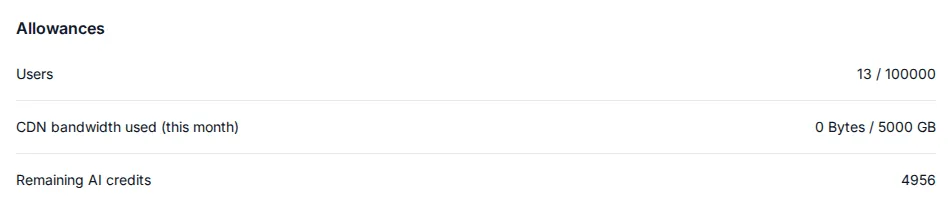
When your organization runs out of credits, AI features that use credits stop working until more are added. To add credits, contact your account manager.
See which features used credits
Section titled “See which features used credits”-
In the top-left of the sidebar, click your organization’s name, then select Organization settings.
-
Click AI Usage.
-
Use the month picker in the top right to choose a month.
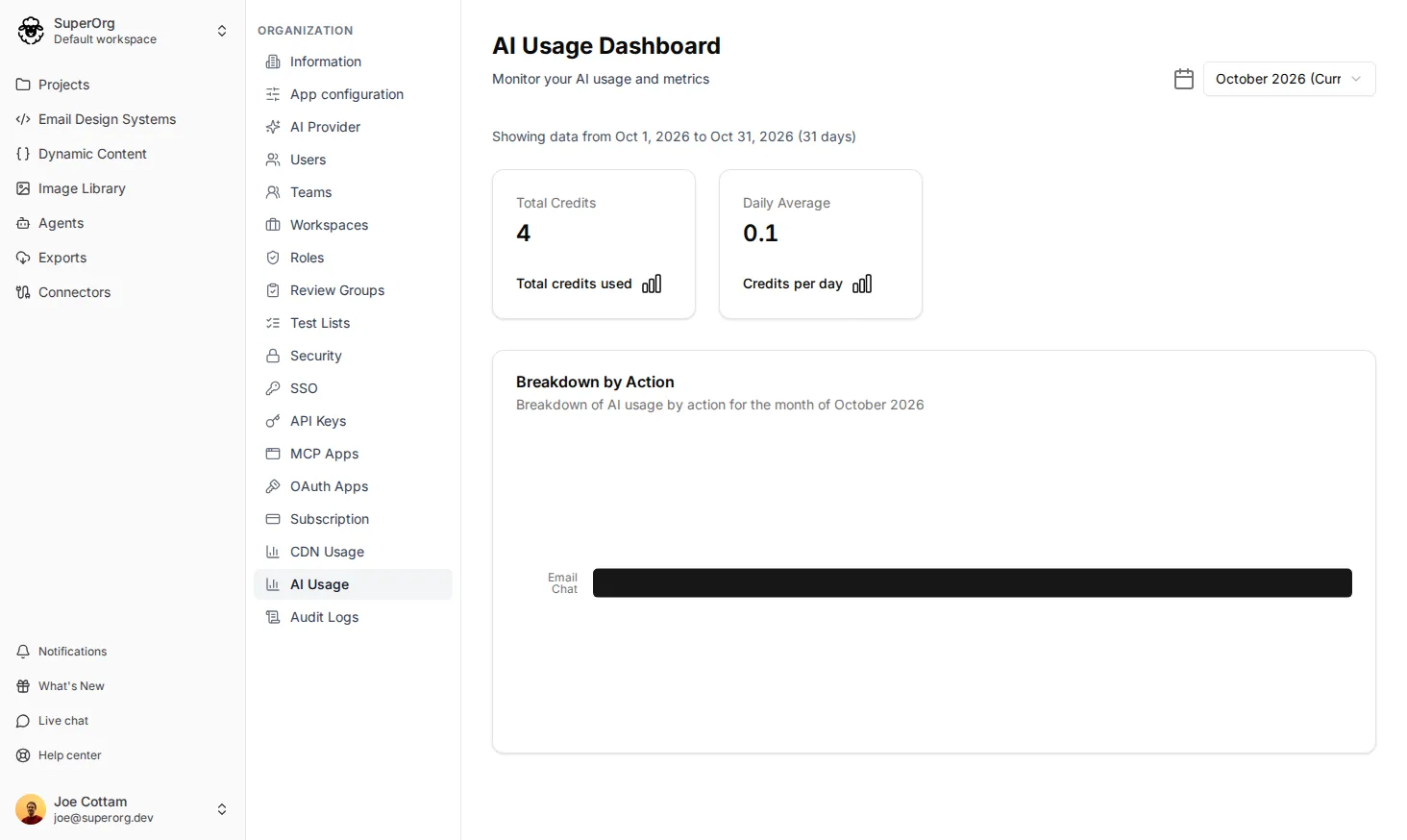
The dashboard shows:
- Total Credits: the number of credits used in that month.
- Daily Average: the average number of credits used per day.
- Breakdown by Action: how many credits each AI feature used, such as Email Chat, AI Review or Email Translation.