

How to move an email
This article shows you how to move an email to another project or folder.
You can move both draft and published emails. You can move an email to any project in the workspace that you have access to.
Move an email
Section titled “Move an email”- Open the project that contains the email.
- Click the three dots on the email.
- Select Move. The destination picker opens at the email’s current location.
- Choose where to move the email:
- Another project: click Projects in the breadcrumb trail at the top of the picker, then select the project.
- A folder: select the folder. To go into a folder inside it, select that folder too.
- Out of a folder: click the project’s name in the breadcrumb trail.
- Click Move.
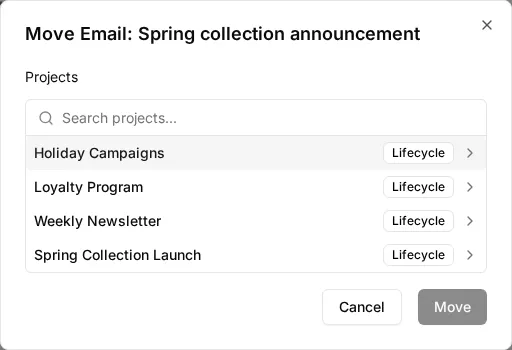
The email moves to the location shown in the breadcrumb trail, and EmailShepherd opens that project or folder.
To move an email between folders in the same project, you can also drag it. See How to organize emails with folders.