

How to check your CDN usage
This article shows you where to see how much CDN bandwidth your organization has used this month, and which images are using it.
Images in the image library are served to your recipients from the EmailShepherd CDN. Each time an email is opened and its images load, that uses CDN bandwidth. Your subscription includes a monthly CDN bandwidth allowance, which resets at the start of each calendar month.
Images you add by URL, or export to your own CDN with a CDN connector, aren’t served from the EmailShepherd CDN, so they don’t use your allowance.
See your remaining allowance
Section titled “See your remaining allowance”- In the top-left of the sidebar, click your organization’s name, then select Organization settings.
- Click Subscription.
- Under Allowances, find CDN bandwidth used (this month). It shows how much bandwidth you’ve used this month, out of your monthly allowance.
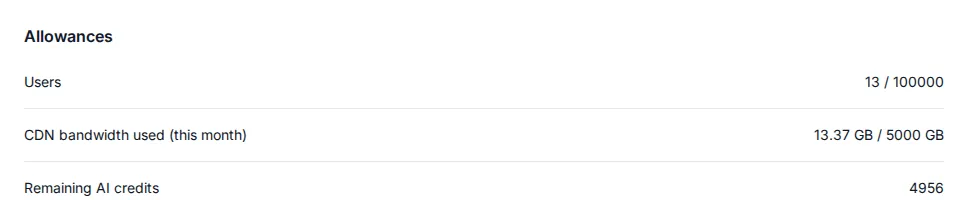
To increase your allowance, contact your account manager.
See which images use the most bandwidth
Section titled “See which images use the most bandwidth”- In the top-left of the sidebar, click your organization’s name, then select Organization settings.
- Click CDN Usage.
- Use the month picker in the top right to choose a month.
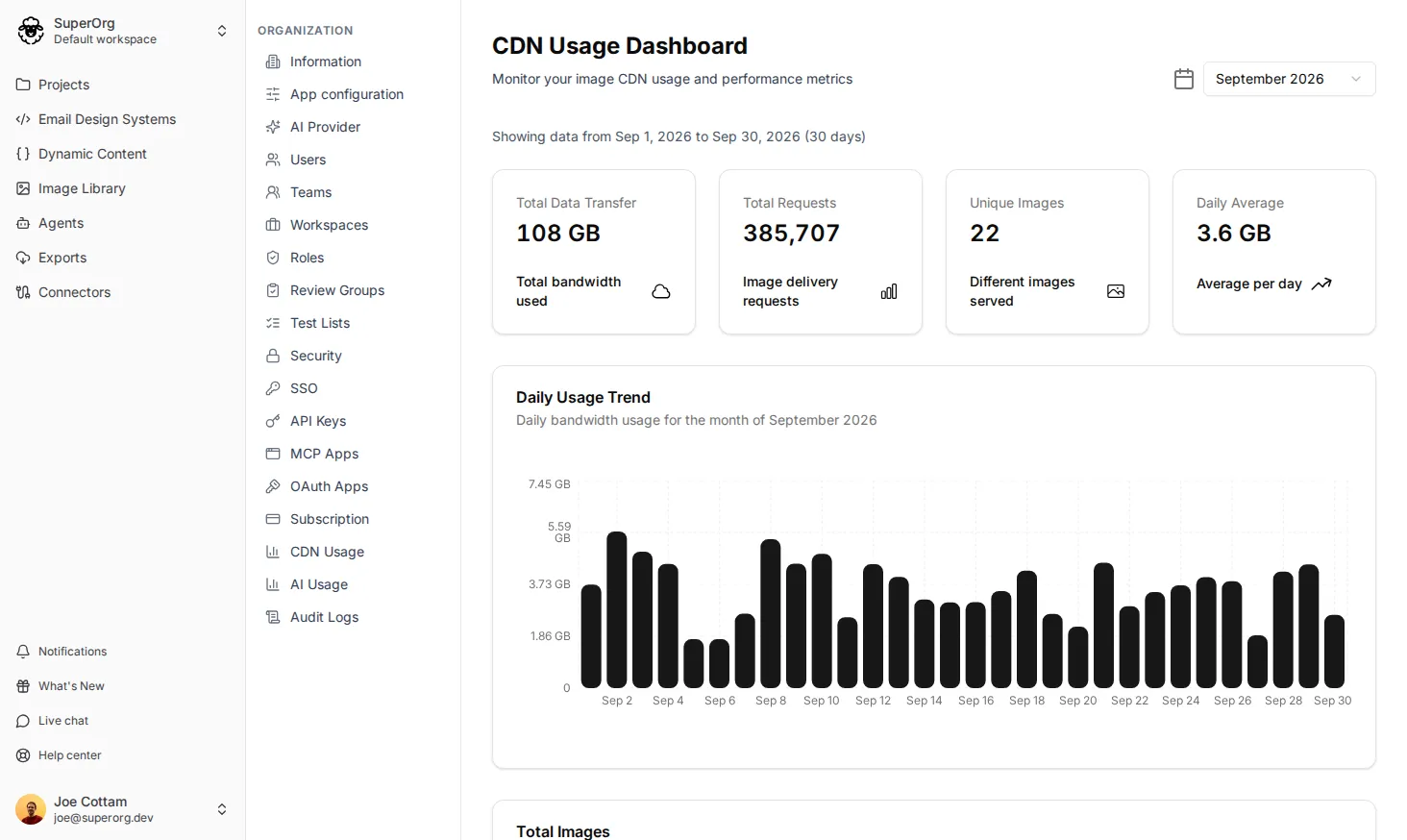
The dashboard shows:
- Total Data Transfer: the bandwidth used in that month.
- Total Requests: how many times images were loaded.
- Unique Images: how many different images were loaded.
- Daily Average: the average bandwidth used per day.
- Daily Usage Trend: the bandwidth used on each day of the month.
- Total Images: each image that was loaded, ranked by the bandwidth it used, with its total requests and average size per request.
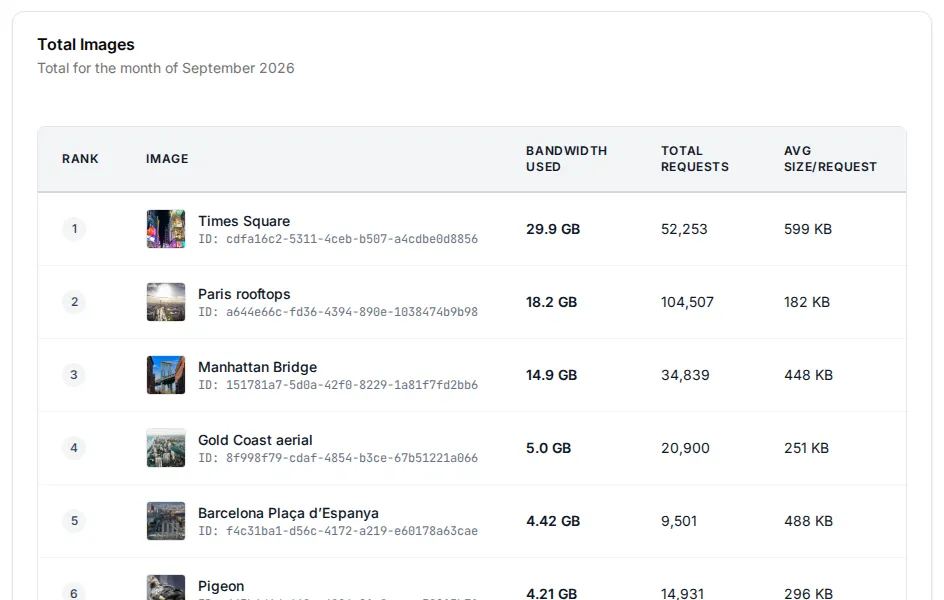
Usage is updated once a day, so today’s usage may not show until tomorrow.